AI action figure generator
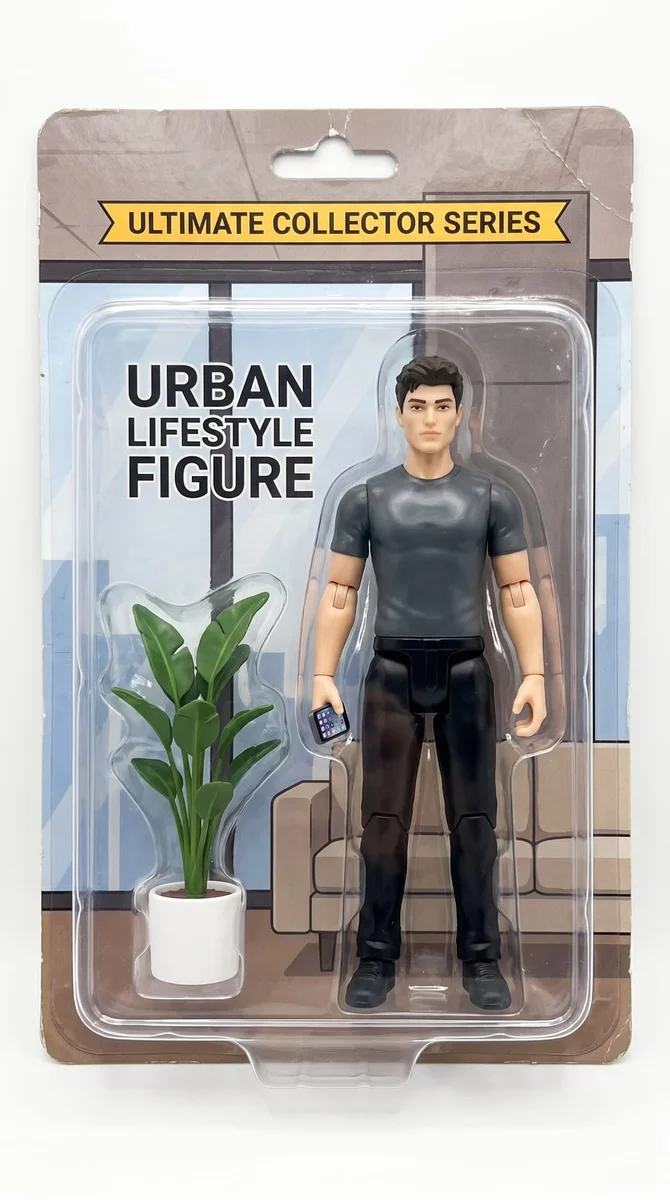
See yourself as a miniature collectible in a toy box. Use your own photo, keep a recognizable outfit and add a few details that make the figure yours.
Try it on your photo
How to turn your photo into an action figure
Upload a photo with a clear face and outfit
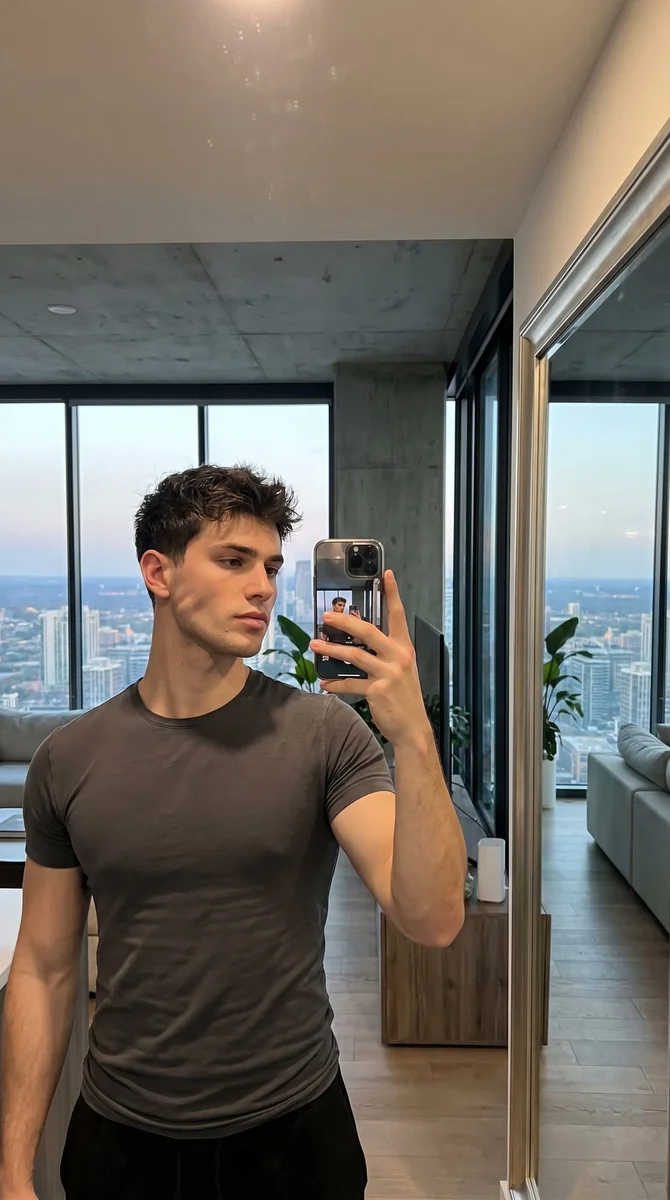
A full-body image gives the model a reference for clothing and shoes as well as the face. A half-body portrait can work too, but the unseen parts must be invented. Choose a single person with good focus and enough space around the body.
Name a couple of personal accessories
The preset creates clear-front fictional collectible packaging and small accessories inspired by the outfit. Use extra instructions for objects such as a camera, notebook or coffee cup. Keep the list short so the miniature person remains the main subject rather than disappearing among tiny props.
Turn me into a collectible action figure in a clear-front toy box. Keep my face and outfit recognizable. Add a small camera and coffee cup as accessories. Use fictional packaging without real toy-brand logos.
Inspect the figure and save the image
Check the likeness, hands, clothing and the arrangement inside the box. Small packaging details may differ from the request, so compare them before sharing. Download the finished image or open the share action. Each result is one picture of a toy-style scene, ready to use in a post or message.
BeforeAfter
Build the toy-box version of yourself
An action-figure portrait turns familiar details into miniature ones: your usual outfit, a recognizable hairstyle and a couple of accessories beside the figure. This preset creates a boxed collectible image from your photo. The likeness and clothing come from the source, while the toy materials, packaging and small accessories create the playful change.
Choose details people will recognize
A jacket, a favorite pair of glasses or a distinctive hairstyle can communicate more than a long list of props. Start with those visible details and add one or two accessories that fit the person. A focused set gives the figure and its packaging enough room to remain easy to read.
Make a birthday or group-chat portrait
Use a clear photo of the person and describe accessories connected to a hobby or everyday habit. The finished image can become a funny message or part of a digital birthday card. Add any exact name or greeting afterwards so the wording stays readable and easy to change.
Compare an everyday outfit with a styled one
The source outfit is a useful starting point because it already belongs to the person. If you want a different theme, describe the change in the instructions rather than mixing several toy styles. Compare the face, outfit and accessories before deciding whether the result still feels like the person you intended.
Get more from your photo
Show the outfit you want copied
A face-only selfie leaves the body and clothing largely to the model. If the outfit is central to the joke, choose a wider photo with that outfit visible. Even light helps distinguish jacket edges, shoes and accessories from the background.
Give accessories a clear purpose
Two familiar objects usually tell the story better than a shelf full of unrelated items. Name the objects plainly and say they should sit beside the figure. If one accessory is essential, mention it first and check that it appears clearly in the completed image.
Keep packaging text short
The preset uses fictional packaging rather than a real toy brand. Tiny generated lettering can be imperfect, so save precise labels or a name for a later text overlay. Focus the generation on the likeness, toy materials and clear arrangement of the figure and accessories.
Keep the details you like.
Turn me into a collectible action figure in a clear-front toy box. Keep my face and outfit recognizable. Add a small camera and coffee cup as accessories. Use fictional packaging without real toy-brand logos.
Questions about action figure photos
Need something else? Contact us.
It creates a still image of a miniature action figure inside a clear-front collectible box, based on your uploaded photo. The result includes toy-style materials and small accessories. It is a digital picture, not a physical toy, an order for a product or a printable 3D model.
A full-body photo is helpful when you want the outfit, proportions and shoes to come from the source. You can use a closer portrait, but the model will invent whatever is not visible. Keep the face sharp in either case so the figure has a useful likeness reference.
Describe a small number of accessories in the extra instructions, such as a camera and notebook. The default creates two objects inspired by the visible outfit. There is no separate accessory catalogue or manual placement tool; the model arranges the scene from your written request.
You can request short text, but generated lettering may not be exact. The default uses a fictional EXTRA FIGURE label instead of real toy branding. If the name must be spelled precisely, add it to the downloaded image with a text or design editor.
Both can use a photo and instructions to create a toy-style image. Here the boxed-figure preset is already prepared, so you can upload and add your own details. You use TooExtra AI directly; a ChatGPT account or a separate chatbot conversation is not needed.
Yes. Open the page in your mobile browser and tap Add Your Photo. Your device opens its native photo picker, which may offer your library, files or camera. The finished image can be downloaded or shared from the editor. There is no separate app to install.
You can select a photo and write instructions before paying. Generation requires paid access. Eligible new customers can start with 40 images for $0.99 for three days. Weekly then renews at $6.99 per week. Yearly renews at $59.99 per year and includes 100 images released each month.
The tool saves your photo and instructions in this browser before opening sign-in and the paywall. Continue in the same browser to keep the draft. You return to the matching editor with the details filled in. Paying never generates an image automatically; press Generate Image when you are ready.