AI Christmas photo generator
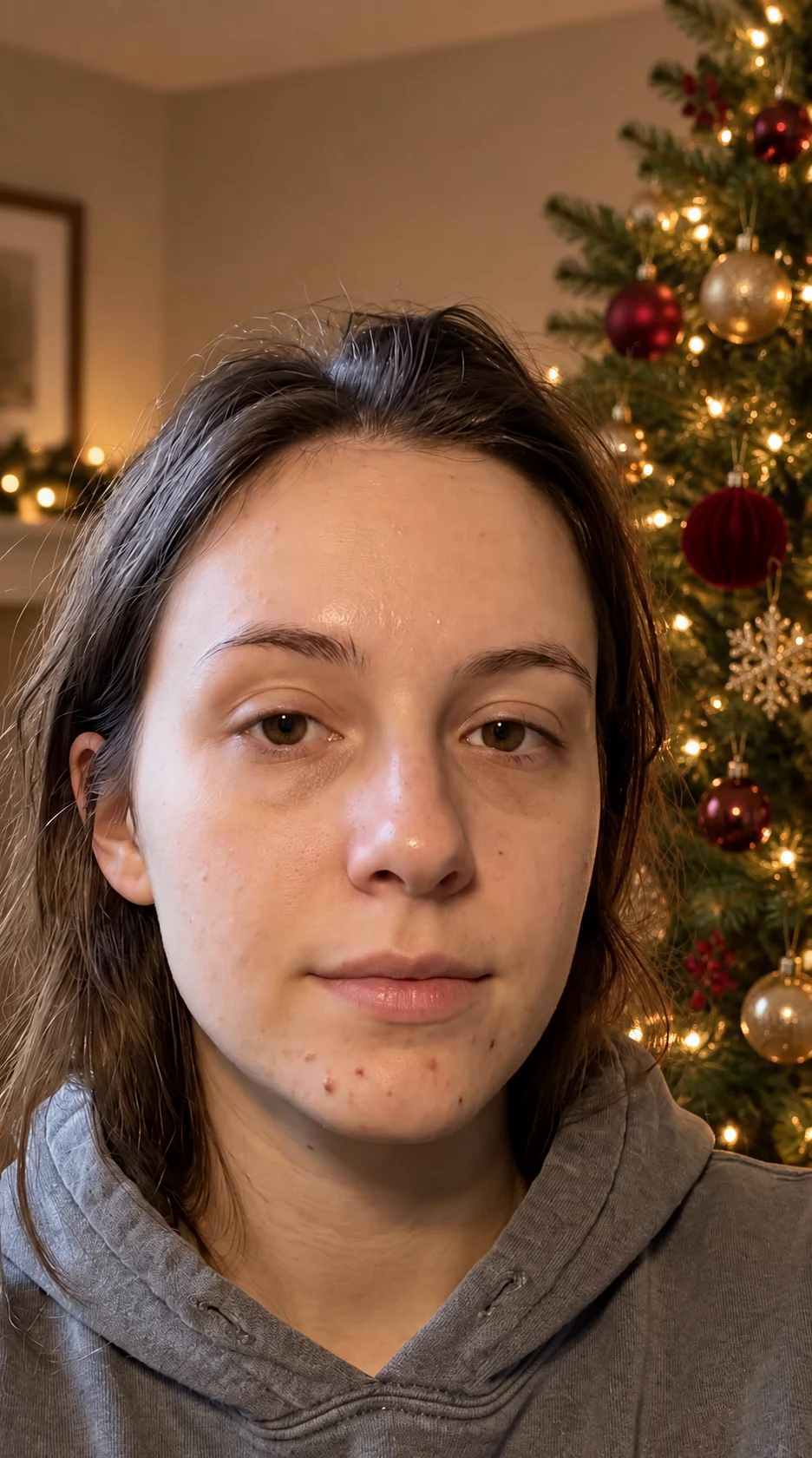
Turn an everyday portrait into a Christmas photo. Add a softly lit tree and festive details while keeping the people in your picture recognizable.

Try it on your photo
How to create a Christmas photo from your picture
Choose a clear portrait or group photo
Pick a photo with visible faces and enough room around the subjects. A shoulder-up portrait can become a festive close-up; a wider image leaves more space for the tree and room. Keep the original photo in focus rather than using a screenshot from a message thread.
Describe the Christmas setting
The starting look is a warm indoor scene with a decorated tree and soft lights. Use the extra instructions for details such as simple gold ornaments, a red-and-green palette or keeping your existing clothes. Name the people and features you want unchanged instead of adding several unrelated effects.
Add a decorated Christmas tree and warm white lights behind me. Keep my face, hair, expression and clothes unchanged. Make the room festive without adding text or extra people.
Check each face and save the photo
Compare the result with the source before sharing. Check expressions, hands, glasses and the number of people as well as the decorations. Download the photo you prefer. Add an exact greeting or family name afterwards if you are making a card or social post.
BeforeAfter
A Christmas setting around a familiar face
A holiday portrait does not have to begin with matching outfits and a studio backdrop. A photograph you already like can provide the expression, pose and people. This preset builds a warm indoor Christmas setting around that reference, using a decorated tree, soft lights and restrained festive details rather than a completely unrelated portrait.
Make a portrait for your holiday messages
Choose an image where you look relaxed and the face is clear. A simple tree and warm lights can supply the seasonal context without changing your whole outfit. Download the result and add your greeting in your usual messaging or card-design app, where the wording stays easy to edit.
Use a photo that already includes your family
If everyone is already together in one image, keep that photo as the reference. Ask to retain the number of people, their positions and their recognizable features. Look closely at each face in the result, especially in a larger group where every person occupies a smaller part of the picture.
Keep a holiday series visually consistent
Try a similar setting description across individual portraits or pet photos. Mention warm white tree lights, a quiet background or the same general palette. Use the original files for each edit, then compare the images as a set before deciding which ones to include in a seasonal post.
Get more from your photo
Match the idea to the framing
A close selfie will show only part of the Christmas background, while a wider portrait can show a whole tree. Work with the space the source provides. Trying to fit a full decorated room behind a tightly cropped face can make the composition feel crowded.
Keep the first request simple
Start with the tree, lights and familiar faces. Once you have a version you like, decide whether a different background or clothing detail is really needed. A short scene description is easier to assess than a request that changes the room, clothes, poses and lighting all at once.
Add exact greetings after downloading
Generated images can include imperfect lettering. Leave the photo free of text and use a separate layout tool for names, dates and a greeting. You can then reuse the same image with different messages without generating another picture just to correct a word.
Keep the details you like.
Add a decorated Christmas tree and warm white lights behind me. Keep my face, hair, expression and clothes unchanged. Make the room festive without adding text or extra people.
Questions about Christmas photos
Need something else? Contact us.
Yes. Upload a photo and the preset adds a warm indoor holiday setting with a decorated tree and lights. It asks to preserve the source people, faces and poses. You can describe the background details you want in the extra instructions before generating.
Use one photograph that already includes the family members you want in the result. Ask to retain everyone and their positions. This tool has one photo input; it does not combine a collection of separate portraits into a new group. Check each person after generation.
You can try a clear pet portrait and describe the festive setting around it. Ask to keep the animal’s markings, face and pose. Start with background decorations rather than several costume changes, then inspect ears, paws and fur patterns in the finished image.
It creates the image for a card or message, not an editable card document. Download the photo and add your greeting, names and layout in your preferred design app. For printing, check the downloaded dimensions against your printer’s requirements before ordering.
Yes. Use the extra instructions to request a simpler tree, a particular general color palette or unchanged clothing. There is no separate ornament or outfit catalogue on this page. The text guides the edit, so compare important details with your original photo.
Yes. Open the page in your mobile browser and tap Add Your Photo. Your device opens its native photo picker, which may offer your library, files or camera. The finished image can be downloaded or shared from the editor. There is no separate app to install.
You can select a photo and write instructions before paying. Generation requires paid access. Eligible new customers can start with 40 images for $0.99 for three days. Weekly then renews at $6.99 per week. Yearly renews at $59.99 per year and includes 100 images released each month.
The tool saves your photo and instructions in this browser before opening sign-in and the paywall. Continue in the same browser to keep the draft. You return to the matching editor with the details filled in. Paying never generates an image automatically; press Generate Image when you are ready.